Start with the detail.
Measure from your drawings and organise the quantities your team needs to build the cost plan.
A clear starting point for the scope.
 Request a Demo

Connect drawing measurements directly to CostrixIQ sectors. Keep quantities linked to the live cost plan, so your team can follow the commercial position from measurement through to reporting.
Coming soon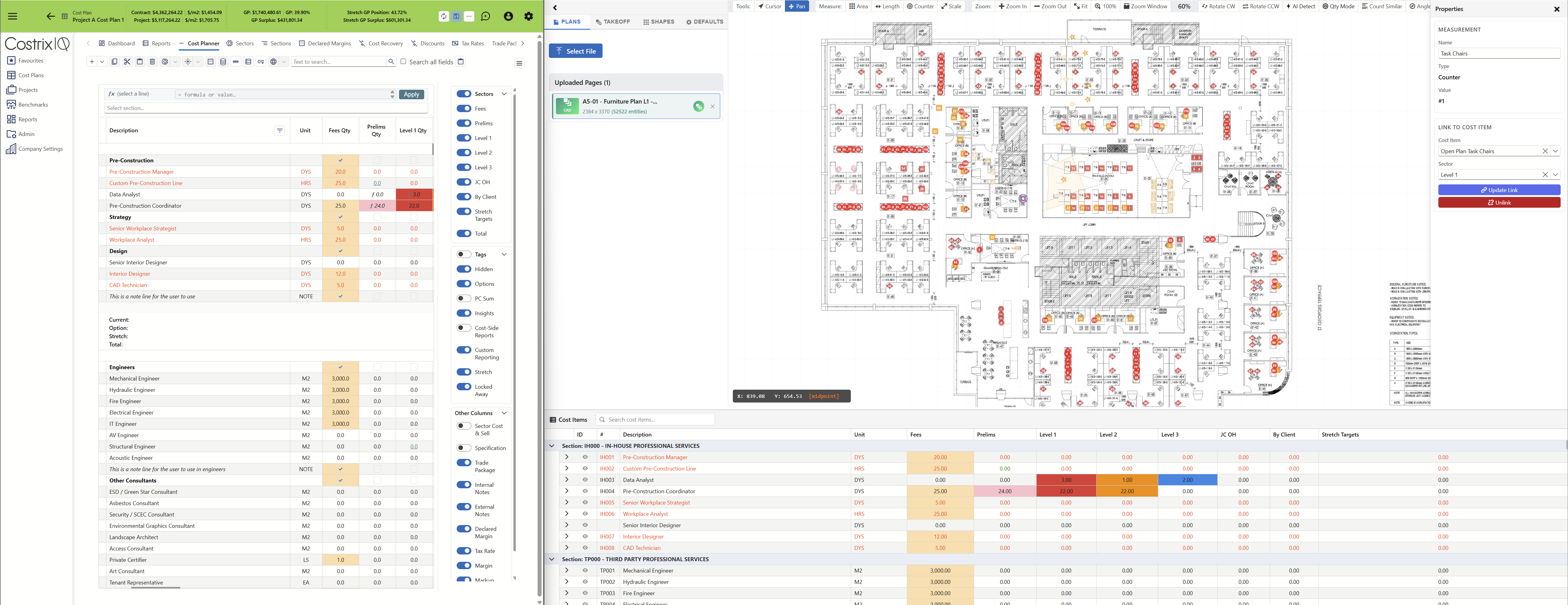
Integrated takeoff
Bring takeoff into the same workflow as your commercial planning. Connect the detail on the drawing to the quantities and sectors that shape your project numbers.
Measure from your drawings and organise the quantities your team needs to build the cost plan.
Connect measured information directly to CostrixIQ sectors and cost items, bringing takeoff into the live commercial model.
Trace quantities back to the drawing and measurement behind them, so your team can understand what sits beneath the numbers.
Connected to the platform your team already uses. From drawing measurements to CostrixIQ sectors and cost plans.
The sector advantage
You can measure quantities in other systems. CostrixTakeoff connects drawing measurements directly to CostrixIQ sectors and cost items. Your takeoff follows the same project structure as your cost plan, keeping measured quantities within the commercial model your team uses to price, compare and review the work.
Drawing measurements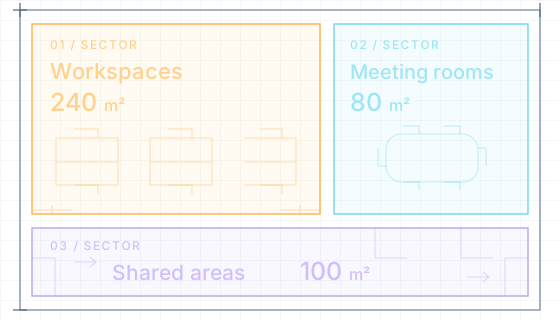 Your sector-based cost plan
The same sectors. The measured quantities.
| Cost item | 01Workspaces | 02Meeting rooms | 03Shared areas |
|---|---|---|---|
| Floor finishes | 240 m² | 80 m² | 100 m² |
Measured quantities sit against your cost items, within each sector.
The next chapter
Bring AI into the repeated work between a drawing and a cost plan. Prepare quantities for review and build towards automation that learns from the way your team works.

AI assistance across your own drawings, reviewed takeoffs and commercial data.
Upload your drawings and allow AI to identify and track changes between revisions.
Identify drawing elements and prepare suggested measurements and quantities for review.
Check what was found, resolve gaps and confirm the quantities.
Link the reviewed quantities to cost items and continue the commercial work.
Working with takeoff
CostrixTakeoff will connect drawing measurements directly to CostrixIQ sectors and cost items, bringing quantities into the same live commercial model your team uses for cost planning.
Yes. The integrated takeoff workflow is designed to keep quantities traceable to their source, connecting the measurement on the drawing to its place in the cost plan.
AI capabilities will help identify and track drawing revisions, identify and measure elements, and prepare quantities for your team to review before connecting them to the cost plan.
Yes. Each tenancy will be able to train CostrixAI using its own data, drawings and takeoffs, helping it learn how your team works. Over time, this will support greater automation tailored to your processes.
CostrixTakeoff is coming soon. Request a demo to discuss how integrated takeoff will fit into your CostrixIQ workflow.
See the connection